How to Join SAP Music Group
SAP
Music Group
Onboarding guide
How to join SAP Music Group
Release your music with a digital distributor first, then connect your catalog to SAP for publishing, rights management, and global sync opportunities.
View step-by-step guideGo to Client Login
✔ Works with DistroKid, Trust Music & other distributors✔ Keep your current distribution – add SAP on top
What you’ll need
3 things
Before you sign up, make sure you have these ready so we can approve your songs quickly.
At least 1–3 released songsISRC & UPC from your distributorActive artist profiles on DSPs
Before you apply
Basic requirements to join SAP Music Group
SAP works on top of your existing distribution. Your music must already be on streaming platforms through a distributor before you can register your songs with us.
Release through a distributor
Use DistroKid, Trust Music, or your preferred partner to deliver your audio to Spotify, Apple Music, and other digital platforms.
- ✓At least 1–3 officially released songs.
- ✓Tracks live on major DSPs (Spotify, Apple Music, etc.).
- ✓High-quality masters and artwork.
Have your data ready
We use your release data to register your works and pay out accurately.
- ✓ISRC for each track (from your distributor).
- ✓UPC / EAN for the release.
- ✓Artist profile and social links.
The process
Step-by-step: from release to SAP dashboard
Follow these six steps to connect your catalog to SAP Music Group and start collecting publishing and sync income. 01 Step one
Release your music
Use DistroKid, Trust Music, or another approved distributor to release your songs on streaming platforms.
DistroKidTrust MusicOther DSP distributors 02 Step two
Prepare your details
Collect ISRCs, UPC, links to your releases, and social profiles. Make sure your artist pages are claimed on Spotify and Apple Music. 03 Step three
Create your SAP account
Go to sapmusicgroup.com and click Client Login to sign up on pub.sapmusicgroup.com.
Client LoginArtist / Writer 04 Step four
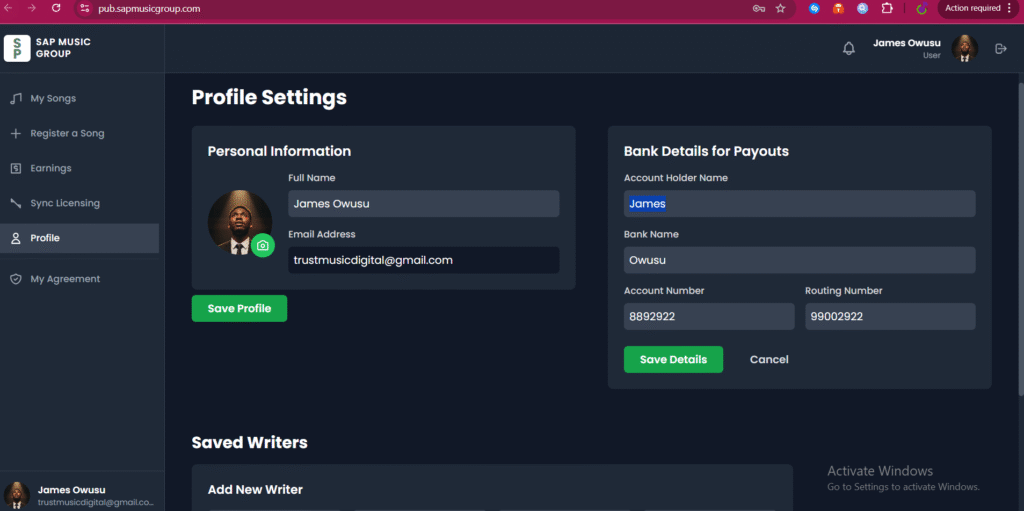
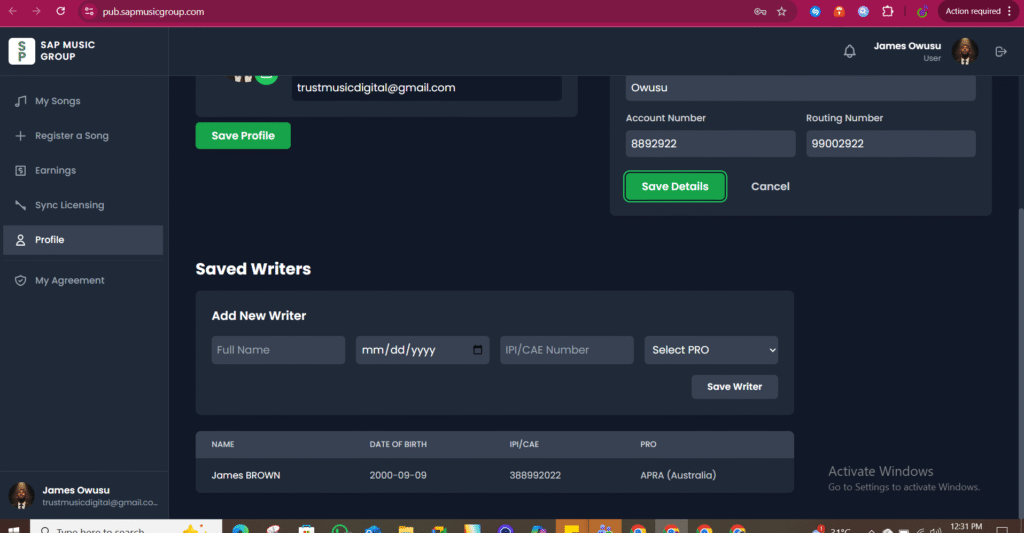
Complete your profile
Add your personal information, payout bank details, and saved writers so we know who to credit and pay. 05 Step five
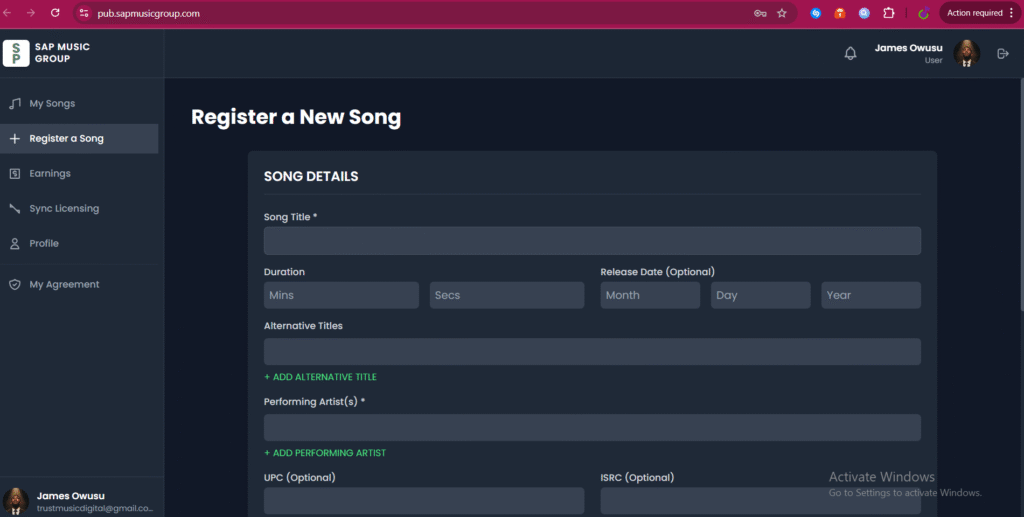
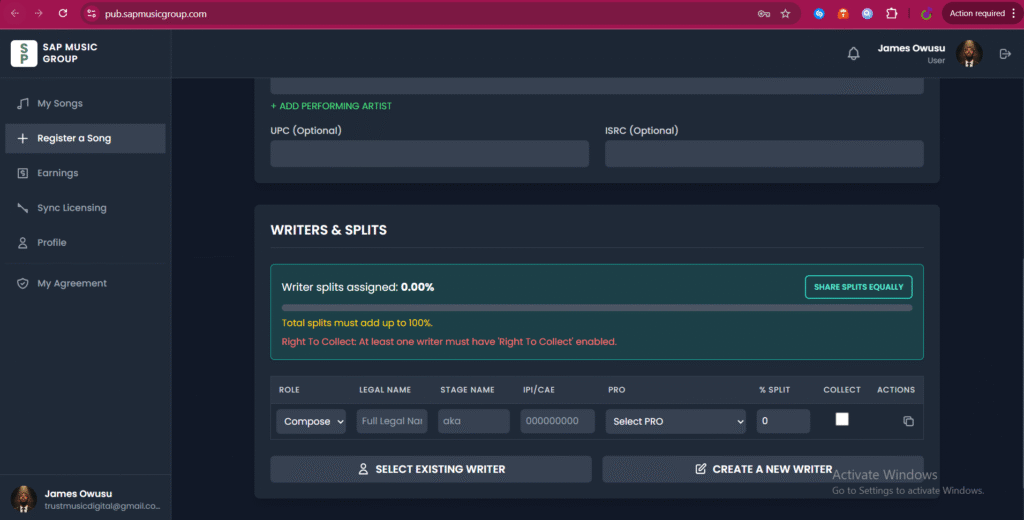
Register your songs
In the dashboard, use Register a Song to submit each work, add writers, and set splits that total 100%. 06 Step six
Sign & start earning
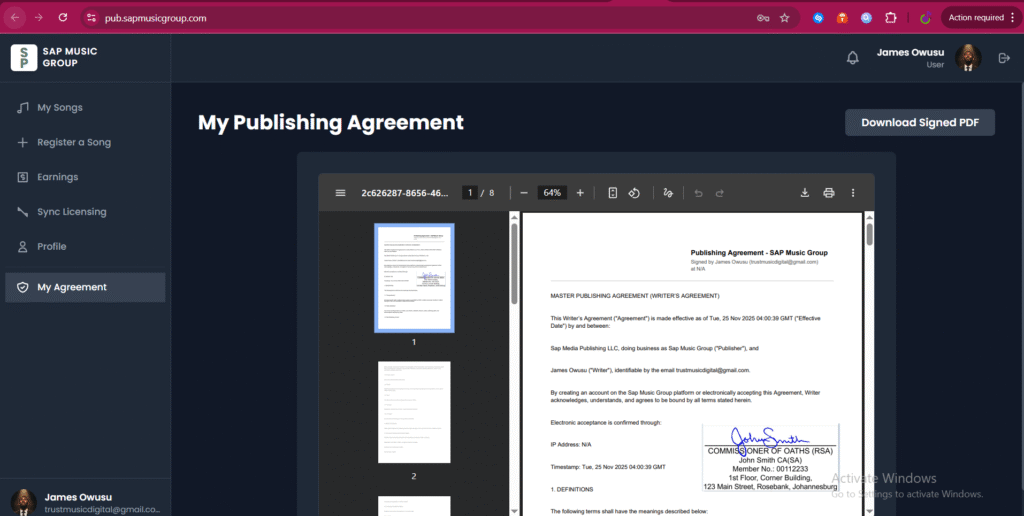
Review your agreement in the portal, sign digitally, then monitor your songs, sync submissions, and earnings in real time.
Distribution first
Why you must use a distributor before registering
SAP is your publishing and rights partner. Your distributor delivers audio files to DSPs and generates the identifiers we need to unlock royalties and sync.
- ✓Distributors create ISRCs and UPCs for your releases.
- ✓They place your music on Spotify, Apple Music, YouTube, and more.
- ✓We then register, protect, and monetize those songs worldwide.
Works with your existing setup
You don’t need to change distributors to join SAP. Keep your current distribution and add SAP on top for publishing and sync.
DistroKidTrust MusicTuneCoreDittoAnd others…
If you don’t have a distributor yet, we recommend starting with Trust Music or DistroKid, then returning here to complete your SAP registration.
What you unlock
What SAP Music Group does for your catalog
🌍
Global publishing
We register your works worldwide and collect on your behalf across PROs, societies, and platforms.
🧾
Writer & split management
Store writers, PRO details, and splits in one place so every collaborator is properly credited.
🎬
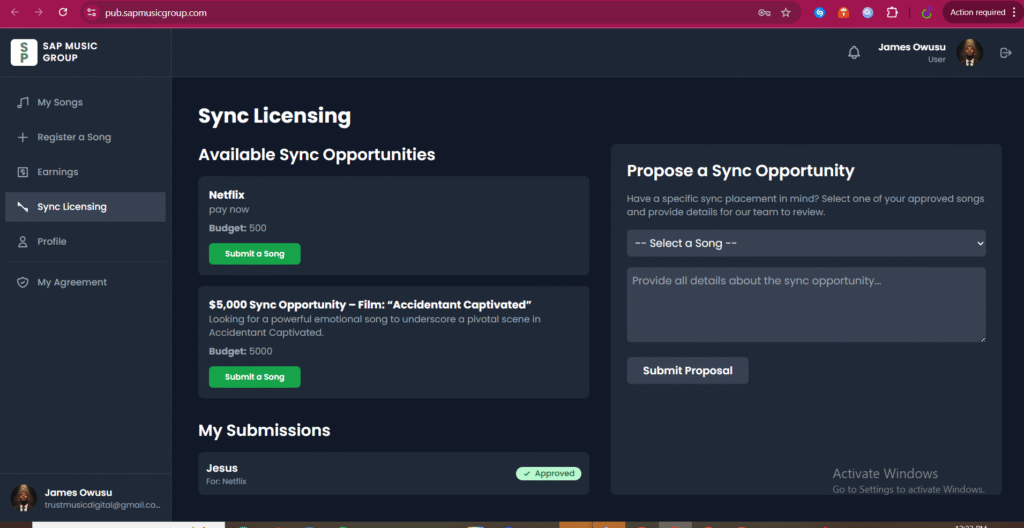
Sync opportunities
Access exclusive briefs and submit songs directly for films, TV, ads, games, and more.
📊
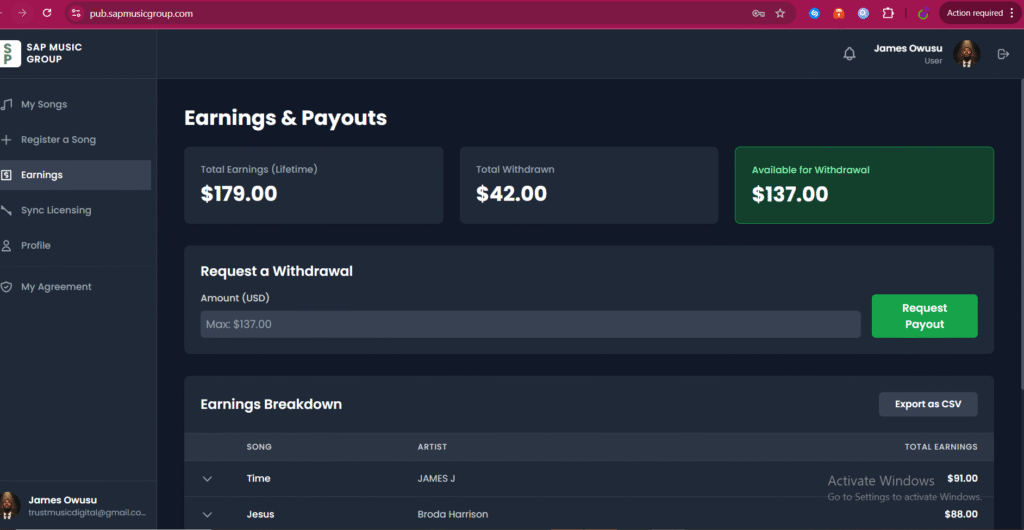
Transparent earnings
Track approvals, contracts, and royalty earnings from your SAP dashboard in real time.
Questions
Frequently asked
Can I join if my music isn’t released yet?
Not yet. You must first release your songs through a distributor so they have ISRC and UPC codes.
Do I need to change distributors?
No. Keep your current distributor. SAP sits on top as your publishing and sync partner.
Is there a fee to register songs?
Song registration itself does not require a separate distribution fee. Your distributor may charge its normal terms.
Where do I log in once I’m approved?
Use the Client Login button on sapmusicgroup.com or go directly to pub.sapmusicgroup.com.
© SAP Music Group. All rights reserved.
Registration step
To submit for Sync: